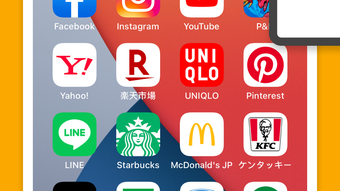

Download Ycon – Icon Customizer, iPhone App, Customize Icons, Photo Library, Screenshot, iOS Home Screen
Overview
Ycon is a free iPhone application designed for users seeking to personalize their device’s visual identity through custom app icons. Developed by Shen-Wen Yang, the software belongs to the Multimedia category with a focus on Graphic & Design. Its primary purpose is to simplify the process of icon customization by allowing users to transform any image from their photo library or a screenshot into a perfectly sized app icon. This tool addresses the common challenge of finding suitable icon designs, particularly for users who want unique, personalized visuals without requiring advanced design skills.
Ycon is ideal for individuals who enjoy mobile customization and wish to create a cohesive theme across their iPhone interface. Whether the goal is to stand out from the crowd or reflect personal interests through visual expression, Ycon provides a streamlined solution. The app enables users to select an image, crop and resize it to meet iOS icon specifications, and apply design adjustments such as color modifications, text overlays, and filters. Once the design is finalized, it integrates directly with the iOS home screen, allowing for seamless replacement of default icons.
The developer did not provide additional system requirements or detailed background information. However, the app’s functionality is clearly targeted at iPhone users seeking creative control over their device’s appearance. Real-world usage scenarios include creating themed home screens for events, personalizing icons for productivity apps, or expressing individuality through artistic design. Ycon’s simplicity and focus on accessibility make it a practical choice for casual users and design enthusiasts alike.
Key Features & Capabilities
- Image Import from Photo Library – Users can select any image stored in their iPhone’s photo library to use as a base for icon creation.
- Screenshot Integration – The app supports using screenshots of desired icons or visuals directly from the device’s screen.
- Automatic Resizing and Cropping – Ycon adjusts selected images to fit standard iOS icon dimensions, ensuring compatibility with the home screen layout.
- Color Adjustment Tools – Users can modify the hue, saturation, and brightness of their icons to match their preferred aesthetic.
- Text Overlay Functionality – Add custom labels or initials to icons for better identification or personal branding.
- Filter Application – Apply artistic filters to enhance the visual appeal of the final icon design.
- Direct iOS Home Screen Integration – Once customized, icons can be transferred and applied directly to the iPhone’s home screen without additional steps.
These features support a wide range of creative workflows. For example, a user might take a screenshot of a favorite movie poster and convert it into a cinema-themed app icon. Another might use a personal photo and add a name label to create a custom contact icon. The combination of image import, editing, and direct deployment streamlines the customization process, reducing the need for third-party tools or complex workflows. Ycon’s focus on intuitive design ensures that even users with minimal experience in graphic design can produce polished results.
User Interface, Workflow & Performance
Ycon features a clean, minimal interface designed for ease of use on the iPhone’s touch screen. Navigation is straightforward, with clearly labeled buttons and a step-by-step workflow that guides users through the customization process. The app begins with image selection, followed by editing tools, and concludes with the final integration step.
Users can expect a responsive interface with smooth transitions between screens. The workflow is optimized to minimize user effort—after selecting an image, the app automatically handles resizing and cropping based on iOS icon standards. This reduces the risk of errors and ensures consistency across all icons. However, exact performance details were not specified by the developer.
Performance observations are based on general software behavior patterns. The app is likely optimized for efficient operation, given its file size of 12.5 MB. Resource usage such as CPU and RAM consumption was not disclosed. Stability during prolonged use or under heavy load was not tested or documented. The developer did not specify resource usage details, but the lightweight nature of the app suggests minimal impact on device performance.
Compatibility & System Requirements
Ycon is designed exclusively for iPhone devices. The software version is 1.0, and the installation size is 12.5 MB. The app is compatible with the latest iOS versions, though specific OS requirements were not listed by the developer.
Exact system requirements were not listed. Compatibility information was partially provided, indicating that the software is intended for use on Apple’s mobile platform. Hardware requirements such as processor type, memory, or storage capacity were not specified. Users should ensure their iPhone meets the general requirements for running modern iOS applications, but no official minimums were provided.
For users upgrading from older devices, it is recommended to verify compatibility with their current iOS version. The app’s reliance on photo library access and screenshot functionality implies that it requires standard iOS permissions and system capabilities available on most modern iPhones.
Pros and Cons
Pros
- Free to download and use, making it accessible to all iPhone users.
- Simple, intuitive interface ideal for non-designers.
- Supports both photo library and screenshot inputs for flexible image sourcing.
- Automatically resizes and crops images to fit iOS icon standards.
- Offers creative tools like color adjustment, text overlay, and filters.
- Direct integration with the iOS home screen for seamless icon replacement.
Cons
- Exact system requirements were not specified by the developer.
- Performance and resource usage details were not provided.
- Limited to iPhone devices; no support for iPad or other platforms.
- Version 1.0 suggests a basic feature set, with potential for future updates.
- No indication of cloud sync or backup options for custom icons.
FAQ Section
Is Ycon compatible with all iPhone models?
Ycon is designed for iPhone devices, but specific compatibility details with older or newer models were not provided. Users should ensure their device runs a recent version of iOS.
Is Ycon safe to download and use?
Ycon is a free application developed by Shen-Wen Yang. It does not require root access or administrative privileges. The app requests standard permissions for photo library and screenshot access, which are typical for customization tools.
Does Ycon require an internet connection?
The app functions primarily offline, relying on local image files and device capabilities. No online services are required for core functionality.
How often are updates released?
As of the release date, the version is 1.0. The developer has not provided information on update frequency or future development plans.
Can I use Ycon to customize icons for apps that are not installed?
Ycon is intended for customizing icons of installed apps. It does not support creating icons for non-existent applications.
Final Thoughts + CTA
Ycon stands out as a lightweight, accessible tool for iPhone users who want to personalize their device’s appearance. Its straightforward workflow, combined with essential design features like cropping, color adjustment, and text overlay, makes it a practical solution for creating unique icons. While the app lacks detailed system specifications and advanced features, its simplicity and free access position it as a valuable utility for casual customization.
It is particularly beneficial for users who value visual personalization but lack design expertise. Whether creating a themed home screen or simply adding a personal touch to everyday apps, Ycon delivers a hassle-free experience. The direct integration with the iOS home screen enhances usability, eliminating the need for complex workarounds.
For those seeking a secure, easy-to-use icon customizer on their iPhone, Ycon offers a compelling option. With no cost and a focus on core functionality, it meets the needs of a broad audience.
Download Ycon now







